Inbox and sheet
Two “interested” replies. A yellow cell. Nothing expires.
Acme asked Monday. Northwind asked Wednesday. Friday still looks open, so you say yes twice. Then you pick who to disappoint.
Newsletter sponsor booking for operators who already get interest
A maybe in your inbox has no timer. That is how the same week gets promised twice. Give one sponsor a hold with a deadline, then track the booking until the issue is out. $49 once.
No account for the walkthrough. Nothing is saved. How to hold a sponsor weekRedeem access code
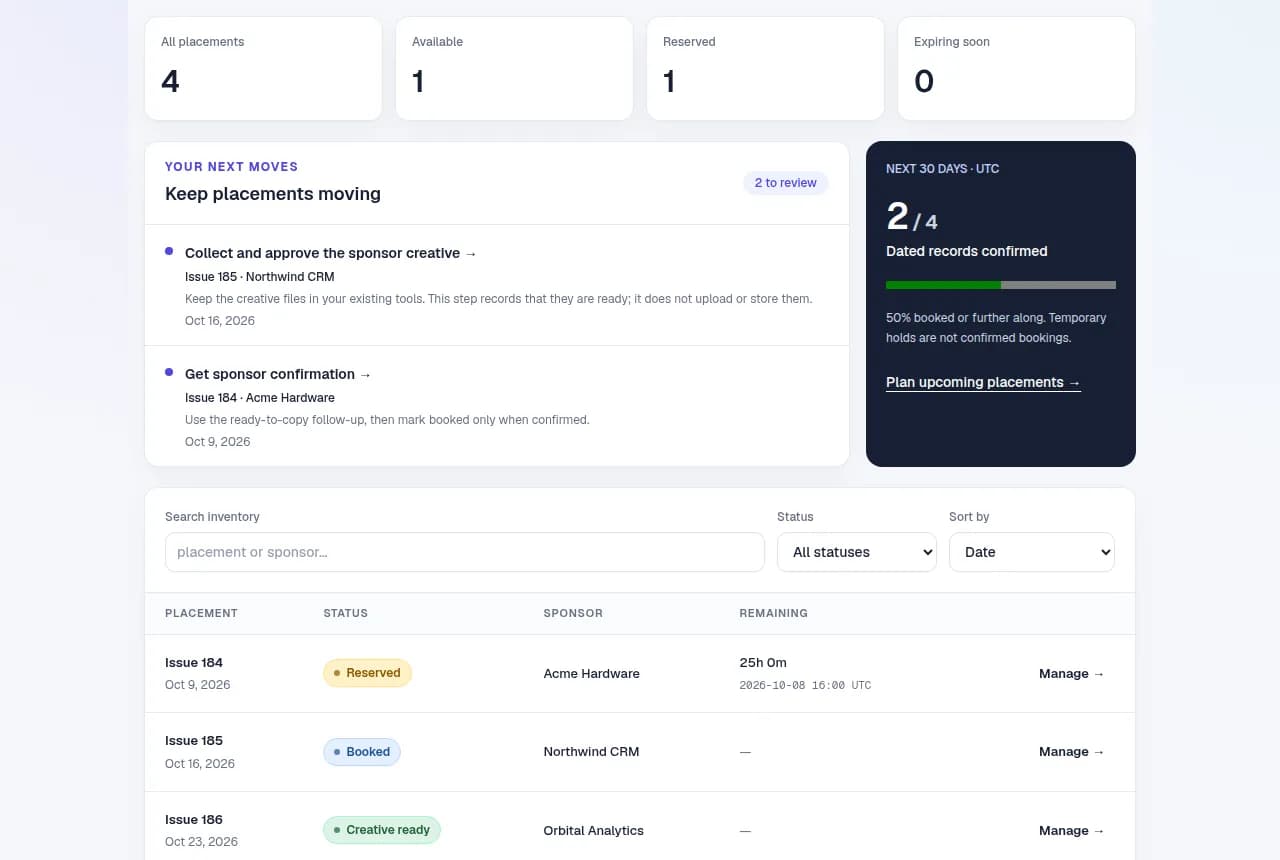
184 · Fri 9 Oct 2026
ReservedAcme Hardware
Hold ends Thu 8 Oct 2026 · 4:00 PM
185 · Fri 16 Oct 2026
BookedNorthwind CRM
Hold ends —
186 · Fri 23 Oct 2026
Creative readyOrbital Analytics
Hold ends —
187 · Fri 30 Oct 2026
Available—
Hold ends —
| Issue | Status | Sponsor | Hold ends |
|---|---|---|---|
| 184 · Fri 9 Oct 2026 | Reserved | Acme Hardware | Thu 8 Oct 2026 · 4:00 PM |
| 185 · Fri 16 Oct 2026 | Booked | Northwind CRM | — |
| 186 · Fri 23 Oct 2026 | Creative ready | Orbital Analytics | — |
| 187 · Fri 30 Oct 2026 | Available | — | — |
If you do nothing
Inbox and sheet
Two “interested” replies. A yellow cell. Nothing expires.
Acme asked Monday. Northwind asked Wednesday. Friday still looks open, so you say yes twice. Then you pick who to disappoint.
Same week in SlotHold
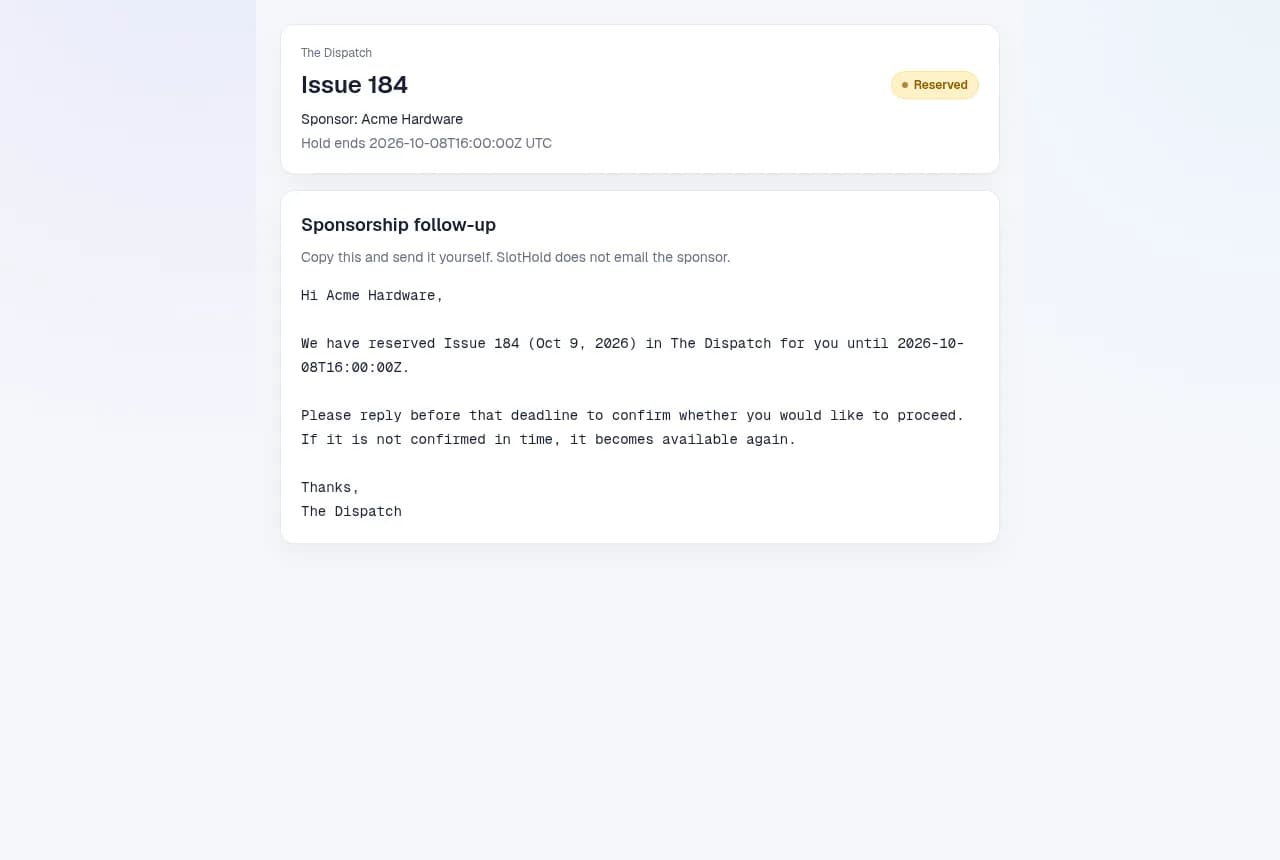
Friday 9 Oct 2026 is held for Acme until Thursday 8 Oct 2026, 4:00 PM.
Northwind cannot take it while the hold is live. If Acme does not confirm, Friday opens again. If they do, the booking stays until you mark it published.
Proof before you pay
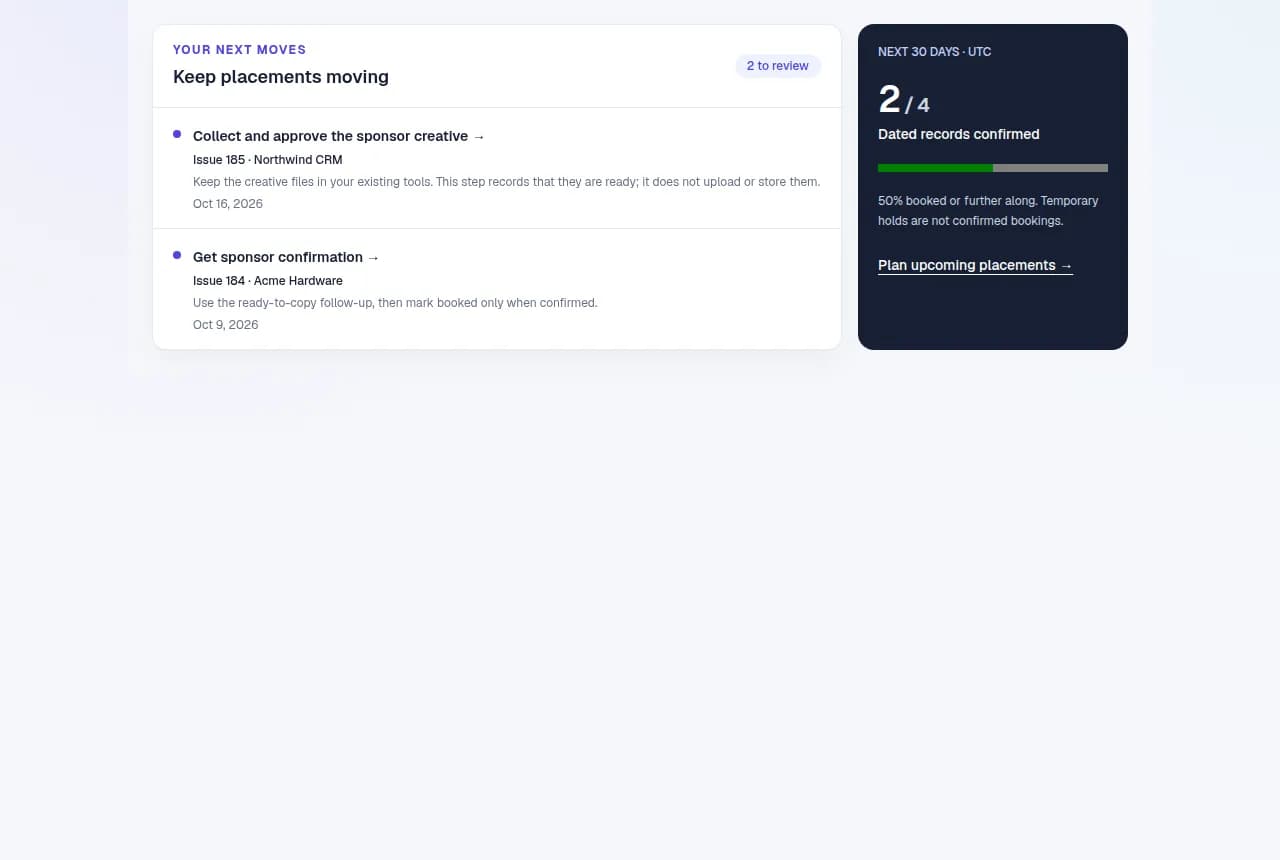
Available, reserved, booked, creative ready, published. You move the record when something actually happened. That is the whole job.
Try it without an account
Made-up example. These buttons only change this card. Nothing is saved or sent.
Step 1 of 5
Enter the sponsor name, choose a reservation length, and select Place hold. A hold is a temporary reservation while you agree the details.
The Dispatch · Friday edition
Availablesponsor
No sponsor yet
Acme is interested in your next issue. Reserve the spot for 72 hours while they decide.
A hold is not a confirmed sale or a payment. The same slot cannot be held for a second sponsor.
The real board
After you click buy
Checkout is $49 once. Payhip emails an access code.
Open the email link, then paste the access code.
Add the issue, name one sponsor, and set the deadline.
The $49 offer
What you still do yourself
Your numbers, not ours
These are starter figures. Swap in your own. We do not claim a result. Contribution means what you keep after the cost of delivering that sponsorship.
1
Extra booking to cover $49
2 extra bookings would contribute at least $490 (10× the price).
$98
Estimated time value over 13 weeks
Time value is an estimate, not additional cash revenue.
These are scenarios, not measured savings or promised results. SlotHold helps you manage existing sponsor opportunities; it does not find sponsors or guarantee bookings.
Price
Payhip emails an access code. Payhip calls it a license key. Sign in, paste the code, add Friday, put a hold on it. That is the first job. No subscription. 14-day refund.
For people already coordinating sponsor weeks in messages and a sheet.
Questions
Keep the sheet if it works. Pay when a maybe never expires and you promise the same week twice. A hold has a deadline. A booked week does not quietly reopen.
Solo or tiny-team newsletter operators who already get sponsor interest in email or a sheet. If you are still hunting for a first sponsor, this will not find one.
Yes. The walkthrough on this page is a fake week. No account. Nothing is saved. That is the risk you do not take.
On that one Friday, yes. While it is held or booked, a second sponsor cannot take it. You still create one record per real spot. SlotHold does not read your calendar.
No. Drafts are copy and send. You invoice, refund, and send the issue yourself. If you turn owner reminders on, SlotHold can email you before a hold expires.
One workspace. One account. No subscription. Holds with a deadline, bookings that stay, a next-up list, drafts you send yourself, changes with a reason, a name history, and CSV export. Payhip emails an access code.
Yes. After you unlock the workspace, export an inventory CSV and a full activity CSV from the board. Those files are yours.
SlotHold is a website. Open it in your phone browser. There is no app to install.
Email nacho@nachobuilt.com. For deletion, ask from the address you used to sign in and I will delete that account and its workspace.
Email nacho@nachobuilt.com within 14 days of the Payhip purchase and I will refund the $49 through Payhip. One purchase, one refund. After 14 days the purchase is final. The refund covers the SlotHold purchase only. It does not cover sponsor revenue or a week you already promised.
Who makes this
I built SlotHold to fix slotting.
A sponsor week is one slot. Two yeses in the inbox do not create a second Friday.
SlotHold puts a deadline on the maybe, so that week stays with one sponsor until they confirm or the hold ends. You still send the email and take the payment. The slot stays single.
Also used for
The words change. The job stays the same: one scarce thing, one person, a deadline, then you record what happened.
Payments, contracts, outbound messages, and delivery stay with you. A link is just a link. A payment note is not proof of payment. If you mark a job accepted, that is your note, not a login from the assignee. Vehicle dealerships, real-estate transactions, freight dispatch, and regulated workflows may share this idea but need capabilities SlotHold does not provide.