How to use SlotHold
How to hold one newsletter sponsor week
Hold Friday for one person, then finish the week. Put Friday on the board, hold it, and see when that hold ends. Confirm the booking and mark it done when the issue is out. The walkthrough is a fake newsletter. Nothing is saved.
Last updated September 22, 2026
What you will get done
Same day you unlock, you can hold a real Friday for a real maybe. That is the first job. Not a tour of settings.
1. Unlock the workspace
Buy $49 on Payhip, sign in with the email link, and paste the access code. One account includes one workspace.
2. Name what you run
Most people start with newsletter sponsorships. You can pick something else later for new records. Old ones keep the words they started with.
3. Add Friday, then hold it
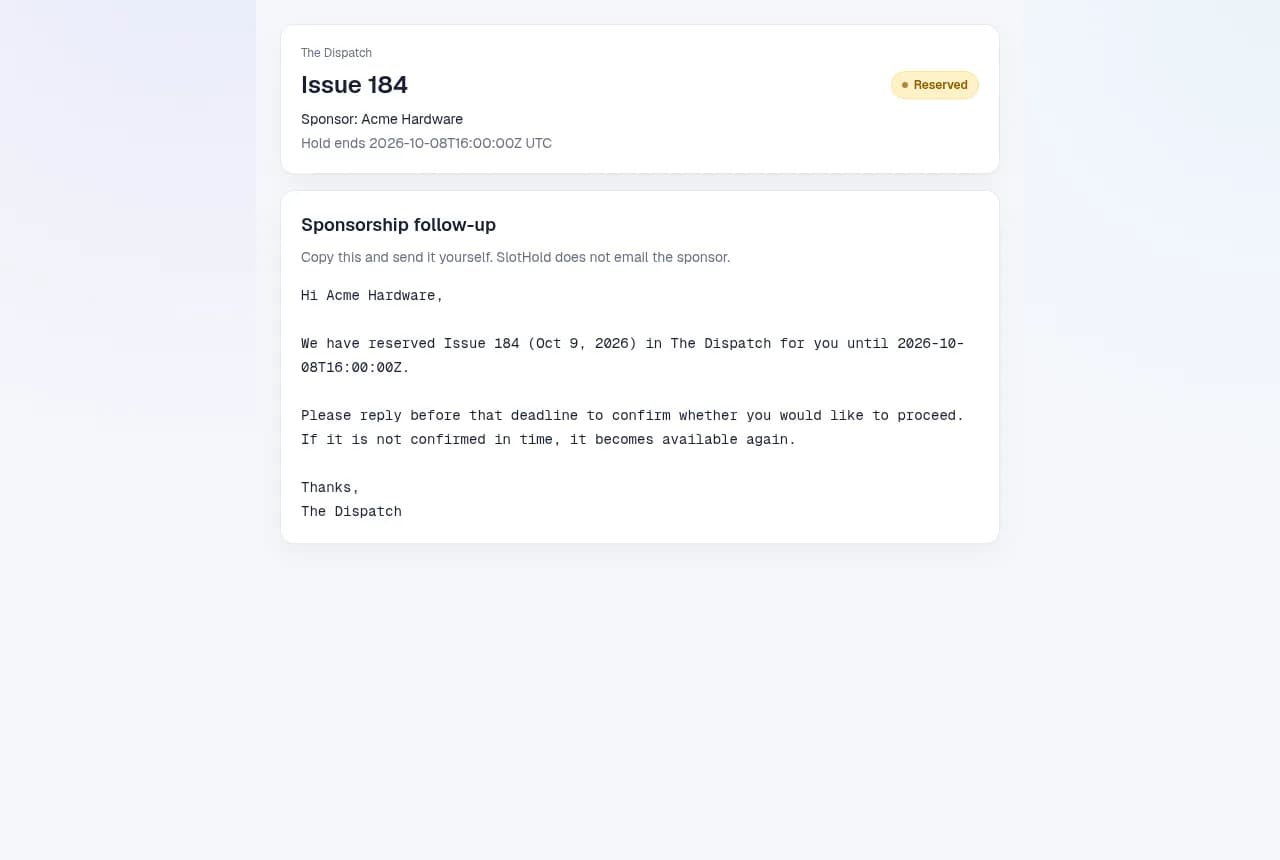
Create one placement. Open it, type the sponsor name, and give them a deadline. Copy the follow-up and send it yourself.
Buy SlotHold on Payhip, then sign in with an email link and redeem the access code. See what $49 includes. The words you send are on sponsor hold email templates.
Try it without an account
Walk through one sponsorship
Made-up example. These buttons only change this card. Nothing is saved or sent.
Step 1 of 5
Reserve the spot for an interested sponsor
Enter the sponsor name, choose a reservation length, and select Place hold. A hold is a temporary reservation while you agree the details.
The Dispatch · Friday edition
Availablesponsor
No sponsor yet
Acme is interested in your next issue. Reserve the spot for 72 hours while they decide.
A hold is not a confirmed sale or a payment. The same slot cannot be held for a second sponsor.
The week, from open to published
These are the labels on a sponsor spot. Move the record when the thing actually happened.
- 01AvailableReady for a sponsor
- 02ReservedWaiting for confirmation
- 03BookedSponsor confirmed
- 04Creative readyAd is approved
- 05PublishedIssue was sent
1. Available
Reserve the spot for an interested sponsor
Enter the sponsor name, choose a reservation length, and select Place hold. A hold is a temporary reservation while you agree the details.
A hold is not a confirmed sale or a payment. The same slot cannot be held for a second sponsor.
2. Reserved
Follow up, then confirm the booking
Review the draft and send it yourself. When the sponsor agrees, select Mark booked before the reservation expires.
If the deadline passes first, the spot becomes available again. Marking booked does not collect or verify payment.
3. Booked
Collect and approve the sponsor creative
Request the final copy, call to action, destination link, and any image. Check the required preparation items, then select Mark creative ready.
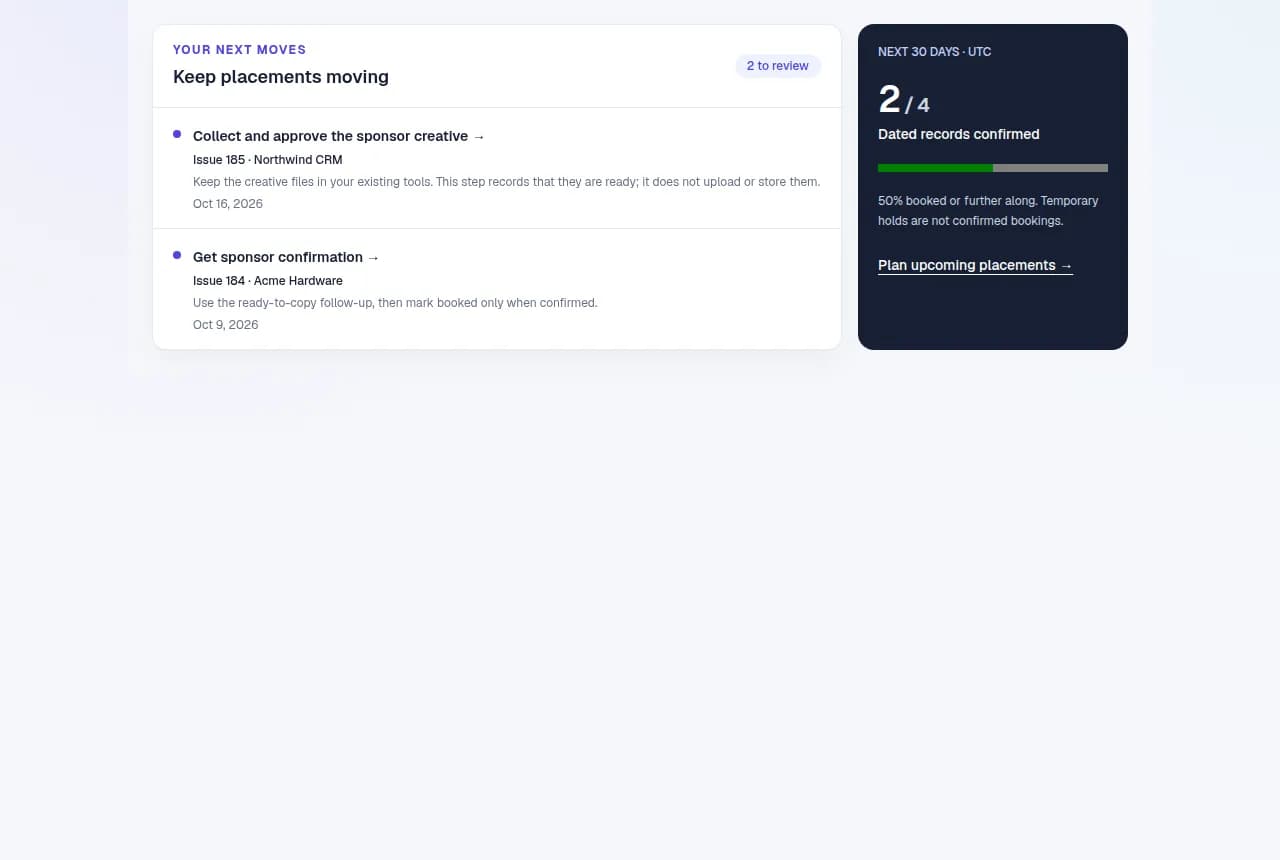
Keep the creative files in your existing tools. This step records that they are ready; it does not upload or store them.
4. Creative ready
Send the issue, then record that it is published
Publish through your newsletter platform. After the issue has actually gone out, select Mark as published in SlotHold.
This button updates your record. It does not send or publish your newsletter.
5. Published
Keep the record and start the next conversation
Your sponsor and activity history stay attached to this placement. Use the wrap-up draft to thank the sponsor and discuss another date.
Published details are preserved. Start a new placement for a new spot.
On a busy day
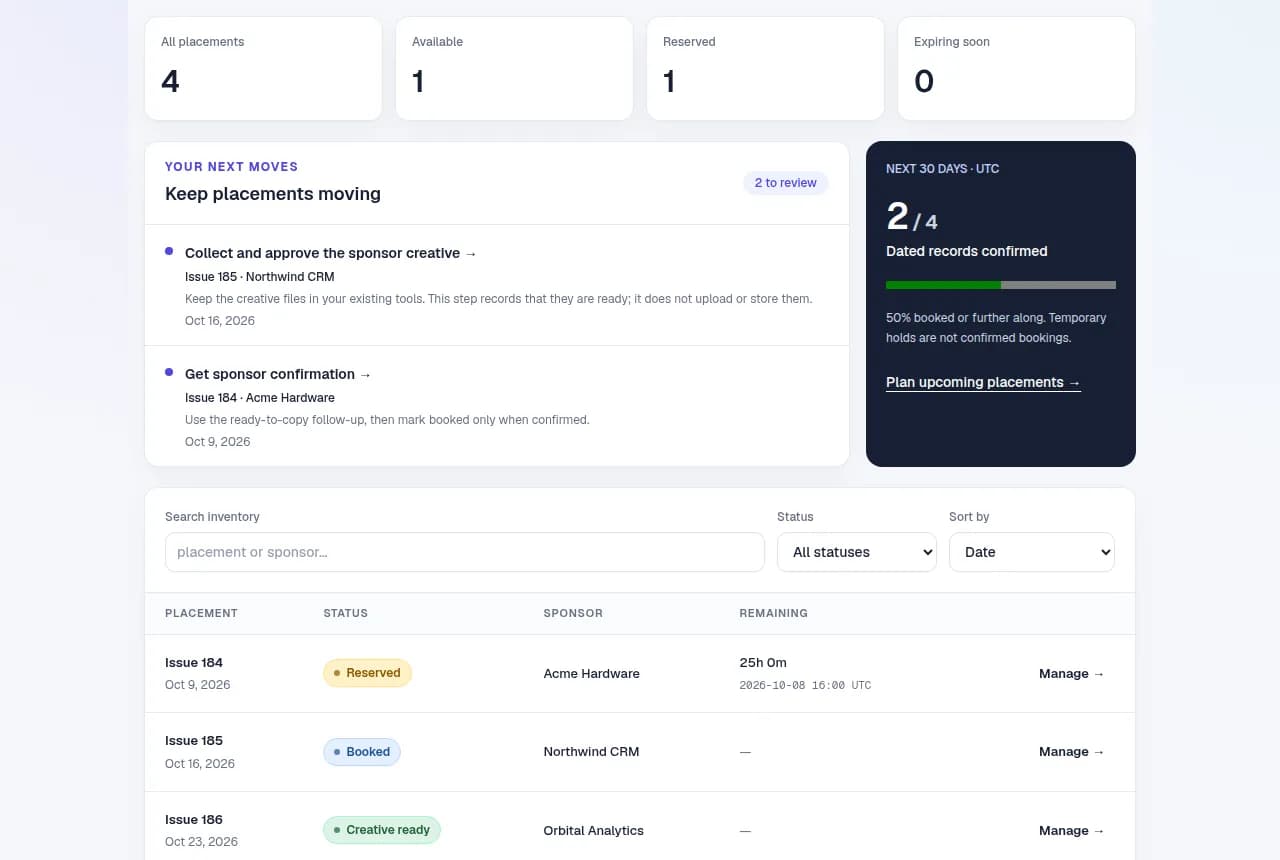
- 1. Look at what’s next.
Holds that are about to expire, past dates, open weeks, and creative you still need.
- 2. Open that record.
Copy the draft, send it from your own inbox, then come back.
- 3. Mark what actually happened.
Book it when they confirm. Tick the short checklist before you call creative ready. If plans change, use Change this booking.
- 4. Glance at next week.
Search and filter. Coverage counts bookings, not maybes. History groups people by the name you typed, not a verified identity.
Common questions
Before you buy
I already have a spreadsheet. Do I need this?
Keep the sheet if it works. Use SlotHold when a maybe never expires and the same week gets promised twice. A hold has a deadline. A confirmed booking does not quietly reopen.
What will I have after I buy?
Sign in with the email link, open Redeem access code, and paste the code from Payhip. Name the workspace and add your first placement. You can read this guide and try the practice week before you pay.
Using holds
What expires, and what does not?
Only an unconfirmed hold. Booked, creative-ready, and published records stay. You set the deadline when you place the hold. Changing a default later does not rewrite old deadlines.
How long can a hold last?
From 1 hour to 14 days. Sponsorships start at 72 hours. Those are product defaults, not industry rules. Existing records keep the deadline you already stored.
What is the short checklist for?
A couple of items you tick before you mark creative ready: copy approved, link checked, or whatever you edit it to. Required items are checked when you save, not only in the browser. If you reopen creative, you tick them again. Older ready or published records are not blocked.
Can I cancel, undo a step, or extend a hold?
Open the placement and expand Change this booking. Release a hold, cancel a booking with a reason, reopen creative while keeping the sponsor, or fix a name. Holds cannot be extended. Published history cannot be reversed. Handle messages and refunds separately.
Can I change a name or date?
Yes, until it is published. Open the placement and expand the edit panel. Notes and extra details are optional. Saving writes the change to history. It does not add time to a hold.
Why did planning a series skip a date?
It skips a date only when that same placement name already exists, so trying again is safe. A different name on the same date is a different spot. Check the board before you add another.
Which time zone is used?
Dates and deadlines show in UTC. When you write the sponsor, convert the time and say the zone in the message.
How do I find a past sponsor?
Open history. Records group by the name you typed. That is not a verified identity. Different spellings stay separate. Released and cancelled names stay on the placement’s activity list.
Why am I asked to refresh before saving?
The record changed after you opened it. Another tab, or a hold that expired. Refresh and look at who is on it now. An old form cannot overwrite a newer record or touch a replacement sponsor.
Limits
Will it email sponsors, collect money, or send the issue?
No. Copy a draft and send it yourself. SlotHold does not invoice, refund, or publish. If owner reminders are on, it can email you before a hold expires.
Can my team share this?
The $49 plan is one workspace in one account. Invites, staff roles, and extra workspaces are not included.
Does this plan production time or a contractor’s calendar?
No. A production opening is a spot you defined by hand. It does not calculate machine time or overlapping jobs. A work offer is recorded by you. The assignee has not logged in or accepted inside SlotHold.
Also used for
Built for sponsor weeks. The same hold works for a few other one-at-a-time spots.
The words change. The job stays the same: one scarce thing, one person, a deadline, then you record what happened.
- A specific item. One dresser, held for a buyer, then collected.
- A production opening. Thursday’s print window, reserved by hand.
- A market booth. Booth A3 at one event. Another event is a different spot.
- A work offer. You record that the person accepted, outside the app.
- An exclusive lot. One offer, one recipient, then you close it.
Payments, contracts, outbound messages, and delivery stay with you. A link is just a link. A payment note is not proof of payment. If you mark a job accepted, that is your note, not a login from the assignee. Vehicle dealerships, real-estate transactions, freight dispatch, and regulated workflows may share this idea but need capabilities SlotHold does not provide.
If the walkthrough matches your week, $49 unlocks your own board.
Get SlotHold for $49